New Analysis
Start an analysis from the Project-authorized, analysis-ready FASTQ inputs in New Analysis.
Analysis Pipeline
Precision Variant Discovery
The BioSpark engine processes raw sequencing data end-to-end — from quality control through variant annotation — delivering high-confidence genomic results.
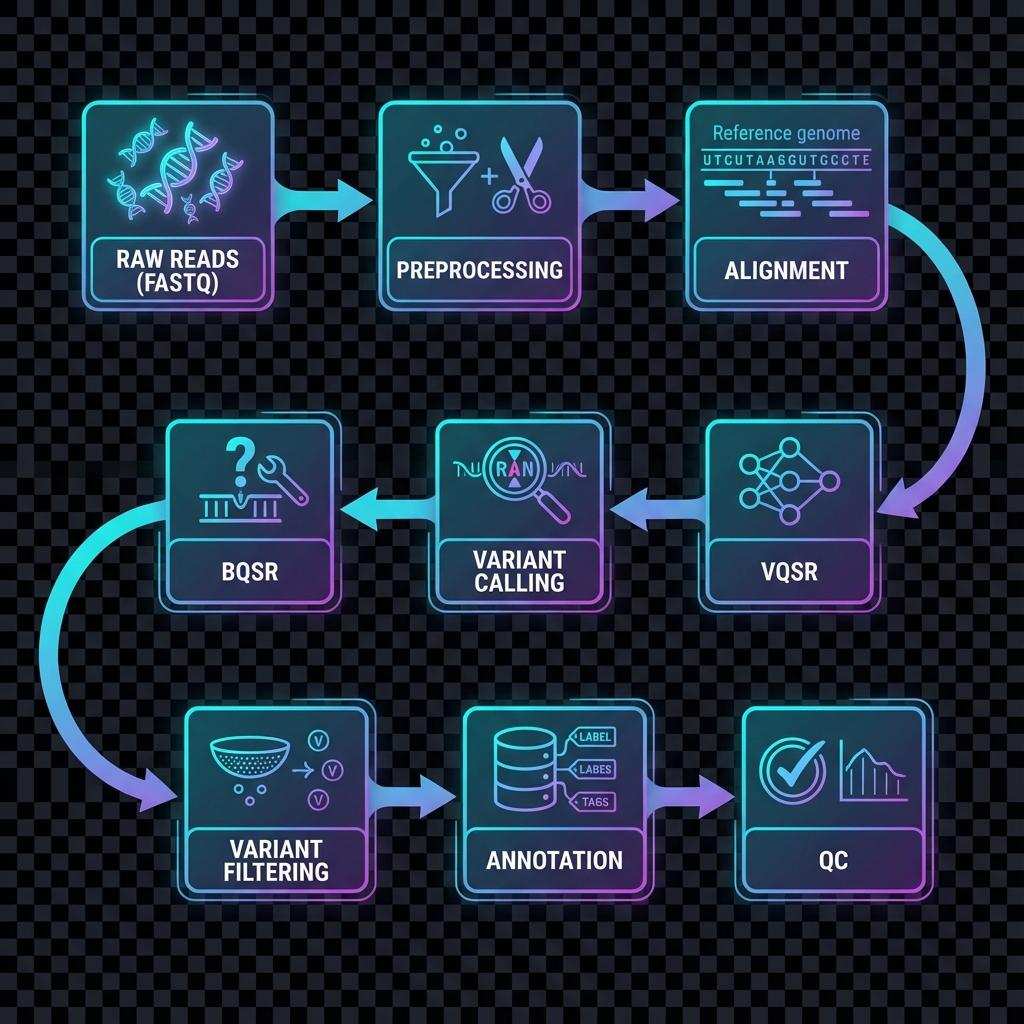
Step 01
Quality Control
Automated filtering of low-quality reads and adapter sequences to ensure clean, reliable input data.
Step 02
Alignment & Calibration
High-accuracy alignment to the standard reference genome with rigorous quality score calibration.
Step 03
Variant Discovery
Sensitive and precise detection of genomic variants including single nucleotide changes and small insertions/deletions.
Step 04
Quality Filtering & Annotation
Multi-stage quality filtering to minimize false positives, followed by comprehensive variant annotation.
My Data
Upload and manage your sequencing files
Analysis Results
Project-scoped completed analysis reports and downloadable artifacts
Open Results to load completed analysis results.
Run Logs
Execution history and pipeline logs